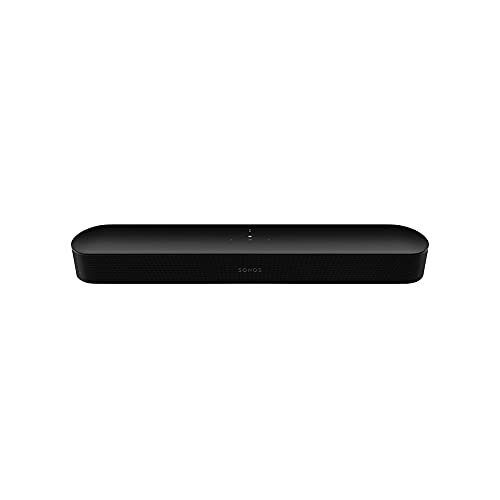
The Sonos Beam (Gen 2) is Sonos’s compact smart soundbar. It is meant for TVs up to 65 inches, uses a 40% faster chip, according to Sonos, and gives smaller rooms a way to get Dolby Atmos support and Sonos multiroom features without a full-size bar.
This profile rests on the Sonos product page, not on our own use of the soundbar, and we point out where Sonos is silent. For a ranking against other models, read our best soundbars of 2026 comparison.
The Short Version
The Beam (Gen 2) suits people with a bedroom, apartment or mid-size living room who want a clean, small bar and a path to a bigger system. It brings eARC, Wi-Fi, AirPlay 2, voice assistants and Dialogue and Night modes in a bar about 26 inches wide.
It is not the right choice if you have a very large TV or room. Sonos recommends it for TVs up to 65 inches, and its Atmos height effect is processed rather than produced by upward-firing speakers. If you want a larger, more capable Sonos bar, see our Sonos Arc Ultra profile.
Key Specs According to Sonos
- Amplifiers and drivers: Five Class-D amplifiers, one center tweeter, four elliptical midwoofers and three passive radiators.
- Surround format: Dolby Atmos, Dolby Atmos via Dolby Digital Plus and Dolby TrueHD, among others. Atmos and TrueHD need HDMI eARC.
- Size: 25.63 inches wide, 2.68 inches high and 3.94 inches deep, at 6.35 lbs.
- Connectivity: HDMI eARC, a 10/100 Ethernet port, Wi-Fi (2.4 GHz 802.11b/g/n, with a workaround for 5 GHz routers) and AirPlay 2. The Sonos spec list does not show Bluetooth.
- Voice: Sonos Voice Control, Amazon Alexa and Google Assistant.
- Controls: Touch controls, TV remote sync through an infrared receiver, and the Sonos app.
- In the box: The bar, a 6-foot power cable, a 4.9-foot HDMI cable and an optical audio adapter for TVs that only have an optical output.
- Colors: Black and white.
What Makes It Different
At 25.63 inches wide, the Beam is little more than half the width of the Arc Ultra, which Sonos lists at 46.38 inches. That makes it easier to place under a 43 to 55 inch TV or on a dresser. Sonos pitches it for TVs up to 65 inches.
Atmos Without Overhead Speakers
Sonos says advanced processing creates phantom height channels for Dolby Atmos content, and that a 40% faster chip creates two new audio paths for virtual surround. The five-amplifier layout lists no upward-firing drivers, so the height effect is virtual. If you want drivers that fire upward, the Arc Ultra has two of its nine tweeters pointed up, according to Sonos.
Dialogue and Night Listening
Sonos says Oscar-winning sound engineers helped tune the Beam for dialogue clarity, and you can turn on Speech Enhancement in the app to make voices more intelligible. Night Sound reduces the intensity of loud effects and enhances quieter ones. These two modes are the main reasons many people choose a small bar for an apartment or bedroom.
Trueplay and the Sonos App
Trueplay uses the microphones in an iOS device to analyze your space and optimize EQ, according to Sonos. The Beam page says a supported iOS device is required, which means Android users cannot run it. That is a real limitation for Android owners, and the Arc Ultra page lists support for both platforms.
Wired and Wireless Connections
The Beam includes Ethernet and Wi-Fi. Sonos notes that the Wi-Fi radio covers 2.4 GHz and that for 5 GHz-only routers you can either enable 2.4 GHz in router settings or hardwire the bar. Since the feature list does not show Bluetooth, you stream through Wi-Fi, AirPlay 2 or Sonos services. That suits households that already use Wi-Fi speakers, but it is worth knowing if you hoped to pair a phone directly.
Setup and Connections
Sonos says you go from unboxing to sound in minutes with only two cables and step-by-step help from the Sonos app. You plug the bar into power and connect it to the TV’s HDMI eARC or ARC port with the included HDMI cable. If your TV has only an optical output, Sonos provides an optical adapter in the box.
Because the Beam has no extra HDMI inputs listed, plug your streaming boxes and consoles into the TV and send the audio back over eARC. Check your TV’s audio settings so it passes through the original format to the bar. The bar syncs with your TV remote through its infrared receiver, so everyday volume control stays on the remote you already have.
Expanding the System
Sonos says you get a more immersive experience when you add a subwoofer and a pair of rear speakers, and that Sonos products connect quickly and wirelessly. The page does not name specific models for this bar, so check the Sonos site for the current compatible subwoofer and rear speakers. You can also pair identical speakers for richer stereo sound or build a multiroom system.
For mounting, Sonos sells a near-invisible Beam wall mount and a Sanus mount that lets you attach the bar to your existing TV mount. The bar has a threaded mounting socket on the underside.
Pros and Cons
Pros
- Small, light and easy to place
- Dolby Atmos support, eARC and Ethernet
- Speech Enhancement and Night Sound
- Works with Alexa, Google Assistant and AirPlay 2
- Upgrade path with a subwoofer and rear speakers
- Wall mount options from Sonos and Sanus
Cons
- Best for TVs up to about 65 inches
- Virtual Atmos height rather than upward-firing drivers
- No Bluetooth on the feature list
- Trueplay needs a supported iOS device
- Needs the Sonos app and Wi-Fi
Who Should Buy It
The Beam (Gen 2) is for small to mid-size rooms. It suits a bedroom TV, a dorm or apartment, or a living room with a TV up to about 65 inches. It is also a good fit for Sonos owners who want to add TV sound to a multiroom system, and for buyers who want Alexa or Google Assistant built in.
It is less suited to very large rooms, buyers who want real upward-firing Atmos drivers, or anyone who needs Bluetooth pairing. For more power with a sub included, our JBL Bar 500MK2 profile covers a mid-range bar and sub package, and the Sonos Arc Ultra profile covers the larger flagship Sonos bar.
What to Check Before You Buy
- TV size: Sonos recommends the Beam for TVs up to 65 inches.
- HDMI port: Confirm your TV has an HDMI eARC or ARC port, or use the optical adapter for an optical-only TV.
- Phone: Trueplay needs a supported iOS device.
- Wi-Fi: Check whether your router has a 2.4 GHz band, or plan to use Ethernet.
- Mounting: Decide whether you want a wall mount or a mount that attaches to your TV mount.
You can see the current price and color options here: Sonos Beam (Gen 2) on Amazon. Buying through our link may earn a commission at no cost to you.
Sources