We earn a commission if you buy through our links, at no extra cost to you.
Best Soundbar for a PC or Computer Monitor
Picking a soundbar for a PC or monitor: why USB and Bluetooth matter more than HDMI ARC, desk fit under the screen, and which Razer or Bose model suits.
At a glance
For a PC or monitor, pick a soundbar that connects by USB or Bluetooth, because monitors usually lack HDMI ARC. The Razer Leviathan V2 adds a subwoofer and THX Spatial Audio on Windows, while the Razer Leviathan V2 X is a compact one-cable bar. The Bose TV Speaker (2nd Gen) only fits a desk TV.
Computer speakers have a reputation problem: the ones built into monitors, when they exist at all, sound thin. A good pair of desktop speakers takes up space and needs a stereo cable or a mixer. A soundbar looks like the tidy answer: one bar under the screen, a bit of bass, and a single cable. But most soundbar advice is written for TVs, and a computer monitor is a different animal.
This guide explains what changes when the screen is a monitor and the source is a PC or laptop, which connections matter, how to fit a bar under the screen, and which models from our list suit a desk. It also covers one edge case: the Bose TV Speaker (2nd Gen) as a Bluetooth option for a TV-sized monitor. For the wider field, see our soundbar rankings.
The Key Difference: Monitors Do Not Have HDMI ARC
A TV soundbar usually connects to the TV through an HDMI port labeled ARC or eARC. The TV sends its own audio back down the cable to the bar, and the bar can be controlled with the TV remote. Sonos describes its bars as connecting through the TV’s HDMI eARC/ARC port, and Bose’s TV Speaker (2nd Gen) works over HDMI ARC with HDMI-CEC, according to their official pages.
Most computer monitors do not offer that return channel, and many have no audio output at all beyond a headphone jack. That is a generalization, so check your monitor’s spec sheet and manual. The practical result is simple: a TV-first bar can leave you with no good way to connect, while a PC-first bar connects straight to the computer.
That is why the connections to look for are different:
- USB audio. The computer sees the bar as a sound device. The Razer Leviathan V2 connects to a PC through a USB Type-C audio input, according to Razer.
- Bluetooth. Works with a phone, a tablet or a laptop. Razer lists Bluetooth 5.2 on the Leviathan V2 and Bluetooth 5.0 on the V2 X, and says it connects to mobile phones and the Nintendo Switch.
- 3.5 mm or optical. Useful if your PC or monitor has an audio output. Not on the Razer models: Razer lists only USB and Bluetooth for them.
If you plan to run the bar from a laptop, a single USB-C cable is convenient. Razer says the Leviathan V2 X is powered by a single USB Type-C cable, and that its power draw depends on what the source provides: a wall charger, a PC, a laptop or a monitor. Whether your monitor’s USB-C port supplies enough power is something to check in its manual.
Fit: Height, Width and Angle
Desk space is tight. Three measurements decide whether the bar will work.
- Gap under the screen. Measure from the desk surface to the bottom edge of the monitor, including any stand. The bar must fit below the panel without blocking the picture, or sit in front of the stand.
- Width. The Leviathan V2 X is about 15.7 inches (400 mm) long, per Razer, which fits in front of a 24-inch monitor and under most stands. The V2 is longer; check Razer’s spec table for its length before you buy.
- Angle. A bar at desk level sends sound at your chest. The Leviathan V2 comes with two sets of detachable feet to change the angle, so the sound reaches your ears.
Also leave room for the cable and, with the V2, for the subwoofer.
Do You Need a Subwoofer on a Desk?
A small bar cannot make deep bass. The Leviathan V2 includes a down-firing subwoofer and a subwoofer output port on the bar, according to Razer, which gives games and movies more weight. The V2 X has two full-range drivers and two passive radiators, with no separate sub.
There are two caveats. First, the subwoofer needs power and a place on the desk or floor. Second, bass is the part of the sound that carries through floors and walls. SVS notes that a subwoofer at high playback levels produces strong vibrations that can travel through the floor and walls, so lowering the level reduces both the bleed and the rattling. KEF’s apartment guidance suggests keeping a sub out of corners and away from shared walls. In an apartment, either keep the level low or choose the V2 X.
Software and Surround Sound
THX Spatial Audio is a virtual surround feature. Razer says it requires Windows 10 64-bit or higher on the Leviathan V2 and is enabled through Razer Synapse. That is useful for PC gaming with headphone-like positional audio from a bar, but it does not apply on other systems. Per Razer’s pages, the V2 X does not list THX Spatial Audio.
If you are on a Mac or Linux machine, treat both bars as stereo USB or Bluetooth speakers, and do not buy for software features you cannot use. Both bars also have Chroma RGB lighting, which you can turn off if you do not want it.
Consoles and Phones
Razer’s pages list PC, mobile phones and the Nintendo Switch over Bluetooth. They do not mention PlayStation or Xbox. If you plan to game on a console, confirm compatibility before buying. For a console on a monitor with no audio out, a bar that has an HDMI input or optical is a different category, closer to a TV bar.
The Models That Fit a Desk
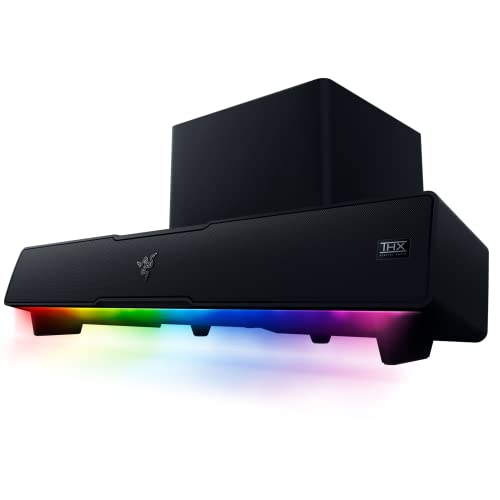
Razer Leviathan V2
A PC gaming bar with a down-firing subwoofer, USB and Bluetooth 5.2, and THX Spatial Audio on Windows. A fit for a desk gamer who wants real bass under a monitor.
The Leviathan V2 is built for sitting under a monitor. It pairs a bar with a subwoofer, connects over USB Type-C audio or Bluetooth 5.2, and has two sets of detachable feet. THX Spatial Audio 7.1 virtual surround works on Windows 10 64-bit or higher with Razer Synapse. The downsides: Razer lists only USB and Bluetooth, so it is not a TV bar, and the sub needs a desk or floor spot with power. Our Razer Leviathan V2 profile covers the details.
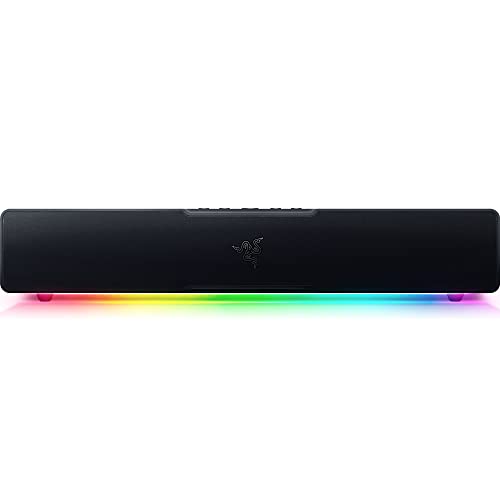
Razer Leviathan V2 X
A compact 15.7-inch desk bar powered by one USB-C cable, with Bluetooth for a phone or Switch. A fit for a laptop or small monitor setup where space matters more than deep bass.
The V2 X is the smaller, simpler cousin. It has two full-range drivers and two passive radiators, a 90 dB output at about 3.3 feet (1 m), USB Type-C for power and audio, and Bluetooth 5.0, according to Razer. There is no subwoofer and no THX Spatial Audio. For a dorm or apartment desk where bass should stay low, that is a feature. See the Razer Leviathan V2 X profile.
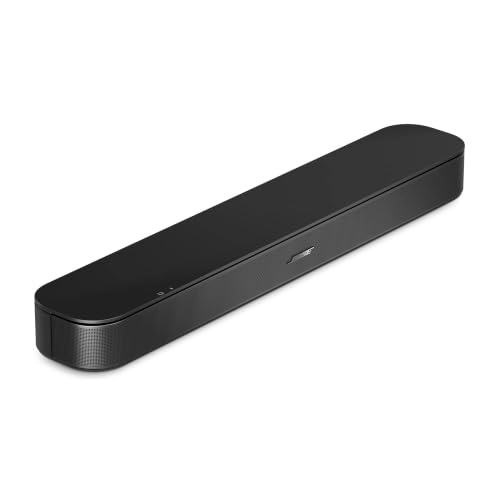
Bose TV Speaker (2nd Gen): Only for a Desk TV
A small bar with HDMI ARC, optical and Bluetooth. A fit when your desk screen is really a TV, or when you want a simple Bluetooth speaker for music from a computer.
This is not our main pick for a PC. Bose’s page lists HDMI ARC, optical and Bluetooth, with no USB, aux or HDMI input. On a desk, that leaves Bluetooth as the only practical link to a computer, and it is a wireless connection that suits music better than competitive games. It works best when the screen is a TV with an ARC port, in which case it behaves like any TV bar: one HDMI cable and your TV remote controlling the volume. The bar is about 23.5 inches wide and has a Dialogue Mode, according to Bose. See the Bose TV Speaker (2nd Gen) profile.
Which One Should You Pick?
- Windows gamer who wants bass: Razer Leviathan V2.
- Laptop or small monitor, single cable: Razer Leviathan V2 X.
- Shared walls, low volume: Razer Leviathan V2 X, or the V2 with the subwoofer level kept down.
- A TV used as a monitor: Bose TV Speaker (2nd Gen) over HDMI ARC.
- Mac or Linux: either Razer bar as plain stereo, without the Windows-only software.
A Short Buying Checklist
- Look up which audio outputs your monitor and computer have.
- Measure the space under the screen and on the desk.
- Decide how much bass you can live with, given your walls and floor.
- Check that your operating system supports the features you are paying for.
- Confirm console support if you game on a console.
Once those are answered, the choice is quick. Compare these bars with the larger ones in our soundbar rankings if your computer will also feed a living-room TV.
Sources
Frequently asked questions
Can I connect a TV soundbar to a computer monitor?
Sometimes, but not the way you connect one to a TV. Most monitors do not have an HDMI ARC or eARC port, so the one-cable setup that TV soundbars rely on usually is not available. Check your monitor's manual for an audio-out jack. Otherwise use a soundbar that connects to the computer directly by USB or Bluetooth, like the Razer Leviathan V2 or V2 X.
Do the Razer Leviathan V2 soundbars work with consoles?
Razer's pages list PC, mobile phones and the Nintendo Switch over Bluetooth. They do not mention PlayStation or Xbox, so we would not assume console support. If you game on a console, check the model's current compatibility before buying.
Does THX Spatial Audio work on a Mac?
Razer says THX Spatial Audio on the Leviathan V2 requires Windows 10 64-bit or higher and is turned on through Razer Synapse. Per that page, you should not count on it on a Mac. The bar still plays stereo over USB or Bluetooth.
Will a soundbar fit under my monitor?
Measure the gap between your desk and the bottom edge of the screen, then compare it with the bar's height. The Leviathan V2 X is about 15.7 inches (400 mm) long and the Leviathan V2 comes with two sets of detachable feet to angle the sound toward you. A bar that sits right in front of the stand can also be a problem if your monitor's base is wide.
Is a subwoofer worth it on a desk?
It adds low-end weight to games and movies, and the Leviathan V2 includes a down-firing subwoofer. It also needs a spot on the desk or floor with power, and bass travels through floors and walls, which matters in an apartment. If you share walls, keep the level down or choose the sub-free Leviathan V2 X.
Can I use the Bose TV Speaker (2nd Gen) with a PC?
Only through Bluetooth, optical or HDMI ARC. Bose's page lists just those three inputs, with no USB or aux input, so it is not a natural desktop speaker. It makes more sense when your monitor doubles as a TV, or when you stream music from a computer over Bluetooth.